
Why an unprotected contact form quietly costs you leads
Most small business owners treat form spam as a nuisance to be deleted. The real cost is subtler and more expensive: once your contact form becomes untrustworthy, you stop reading it properly, and the enquiry that mattered goes in the bin with the rest.
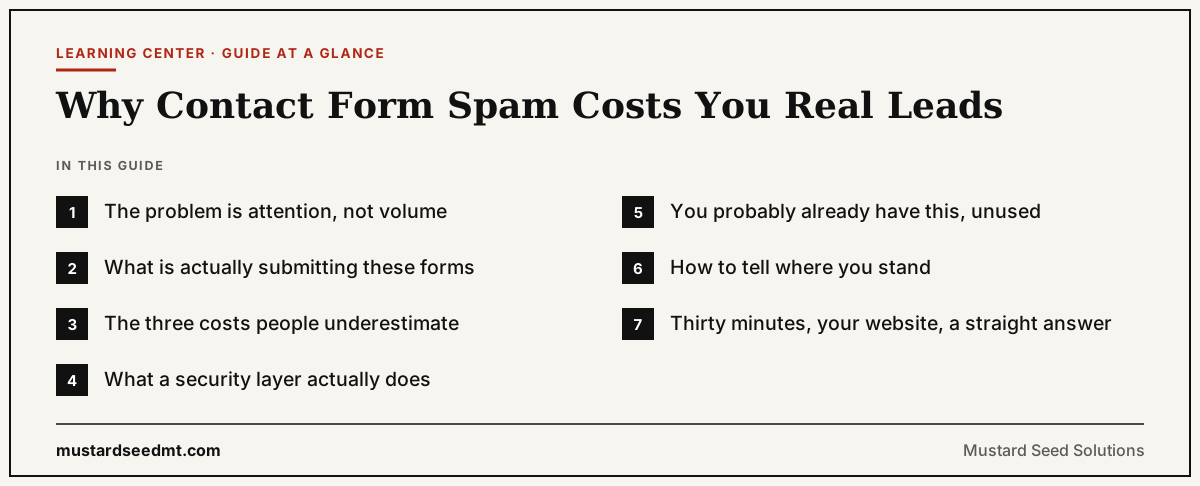
The problem is attention, not volume
A form that receives four junk submissions a day is not a technical emergency. Nothing is broken, nothing is hacked, and the site keeps working. That is exactly why it goes unaddressed for months.
What changes is how you read your inbox. When most of what arrives is junk, you start skimming. You archive in batches. You check less often because checking is unrewarding. By the time a real enquiry lands, it arrives in a channel you have already learned to distrust — and the failure is invisible, because nobody emails you to say they filled in your form and never heard back.
This is the part worth internalising: you will never see the lead you lost. There is no error log for it. The cost shows up as a quiet, unexplained gap between the traffic your site gets and the conversations you actually have.
What is actually submitting these forms
Almost none of it is targeted at you. Automated scripts crawl the web looking for any public form and submit to all of them, in volume, because the cost per attempt is effectively zero. Your form is not being attacked; it is being harvested along with a few hundred thousand others.
That matters for the fix. You are not defending against someone who wants to get into your site specifically. You are trying to be marginally more expensive to submit to than the next form on the list — which is a much lower bar, and why a modest defence works so well.
- Broadcast spam. Link-building and SEO pitches sent to every form a crawler can find.
- Address harvesting. Submissions designed to confirm your reply address is real and monitored.
- Phishing attempts. Messages engineered to look like a genuine enquiry so you click a link or open an attachment.
- Resource abuse. Where a form triggers an email, an SMS, or an API call, each submission costs you money.
The three costs people underestimate
- 01
Deleting a real enquiry. The single most expensive outcome, and the only one you never find out about. Nobody follows up to tell you their message was ignored — they contact a competitor.
- 02
Email deliverability damage. If your form auto-replies or forwards to a distribution list, a spam run makes your domain send a burst of mail to addresses that never asked for it. Repeated often enough, that harms whether your genuine email reaches anyone's inbox.
- 03
Team trust in the channel. Once someone concludes the contact form is worthless, they stop monitoring it. The form is still on your site collecting real enquiries; there is simply no longer anybody reading them.
What a security layer actually does
A bot challenge such as Cloudflare Turnstile, Google reCAPTCHA or hCaptcha asks the browser to prove it is a real browser being used by a real person. Modern versions are usually invisible — most legitimate visitors are never shown a puzzle and never notice anything.
It is a filter, not a wall. A determined human can still fill in your form and send you nonsense, and no challenge stops that. What it does stop is the automated, high-volume traffic that makes up nearly all of the problem — and that is the traffic actually damaging your inbox.
Two honest caveats, because they change what you should expect. First, a challenge that only runs in the browser can be bypassed by a script that posts directly to your form's endpoint, which is why the verification also needs to happen where the form is processed. On a hosted platform that part is already handled for you. Second, adding a challenge does not clean up an address that has already been harvested — expect existing spam to decay over weeks rather than stop overnight.
You probably already have this, unused
This is the part that surprises people, and it is the reason this article does not end in a sales pitch. Squarespace, Wix, Webflow, Shopify and HubSpot all include form spam protection at no extra cost on plans you are likely already paying for. It is usually a single toggle in the form's settings that nobody ever turned on, because nothing in the interface tells you it is off.
WordPress is the common exception, because it depends entirely on how your form was built — but free plugins cover almost every case there too.
The genuine work is narrower than the industry likes to admit: hand-built HTML forms, custom backends, and situations where the protection needs to be verified server-side rather than just displayed. If that is you, it is worth doing properly. If it is not, you are ten minutes from fixed.
How to tell where you stand
You cannot always tell by looking at your own site. Invisible challenges are, by design, invisible — the absence of a visible puzzle tells you nothing either way.
Our free Contact Form Spam Check reads your public pages, lists the forms it finds, and reports whether a recognised bot challenge is present. It never submits your form and never stores what your visitors write. If it finds nothing, that is a starting point for a conversation rather than a verdict: some protections genuinely cannot be seen from outside.
Frequently Asked Questions
Is contact form spam actually dangerous, or just annoying?
Mostly it is an attention problem rather than a security one — the danger is that you stop reading a channel real customers use. There are two genuine risks beyond that: phishing messages disguised as enquiries, and deliverability damage if your form auto-replies or forwards to a list.
Will adding a CAPTCHA reduce my genuine enquiries?
Modern invisible challenges such as Cloudflare Turnstile are not shown to most real visitors, so the effect on legitimate submissions is very small. Older-style 'click every traffic light' puzzles do add friction — if you use one of those, switching to an invisible challenge is usually the better move.
Do I need to pay for anything?
Usually not. Squarespace, Wix, Webflow, Shopify and HubSpot include form protection on plans you already have, and free plugins cover WordPress. Cloudflare Turnstile is also free for custom-built forms. Cost tends to be a factor only when someone has to implement and verify it for you.
I already get spam. Will turning protection on stop it immediately?
Not immediately. A challenge blocks new automated submissions, but your address may already be on lists that get retried for a while. Expect a steep drop within days and a long tail that fades over several weeks.
Can spam bots get around a CAPTCHA?
Some can, particularly if the challenge only runs in the visitor's browser and nothing checks it where the form is processed. That is why server-side verification matters. For the broadcast spam that makes up nearly all real-world form abuse, a properly configured challenge is highly effective.
Not sure where you stand?
Thirty minutes, your website, a straight answer
Bring your site and your logins. We will check whether your forms are protected, turn on what is missing, and test it together. If your platform already includes it free, I will show you the toggle and we will spend the rest of the time on something more useful.
Book a free 30-minute call